Managed IT For Healthcare Practices
Is your business secure? Find out today with our IT Health Checklist.

Cybersecurity & IT Services Built for Healthcare Practices
Running a healthcare practice means managing patient appointments, electronic health records (EHR/EMR), and strict regulatory requirements—your IT should simplify operations and reduce risk, never create it. At Strategy, we specialize in fully managed IT services for dental practices, general medical offices, chiropractors, counselors, and similar healthcare providers.
With flat-rate plans for 5–100 users, transparent monthly pricing, and no long-term contracts required, we prevent IT issues before they disrupt your workday. Our proactive approach, 24/7 monitoring, and endpoint protection + compliance monitoring keep you audit-ready year-round while we handle security, compliance, and day-to-day support.
Proactive Cybersecurity That Protects Patient Data & Ensures Compliance
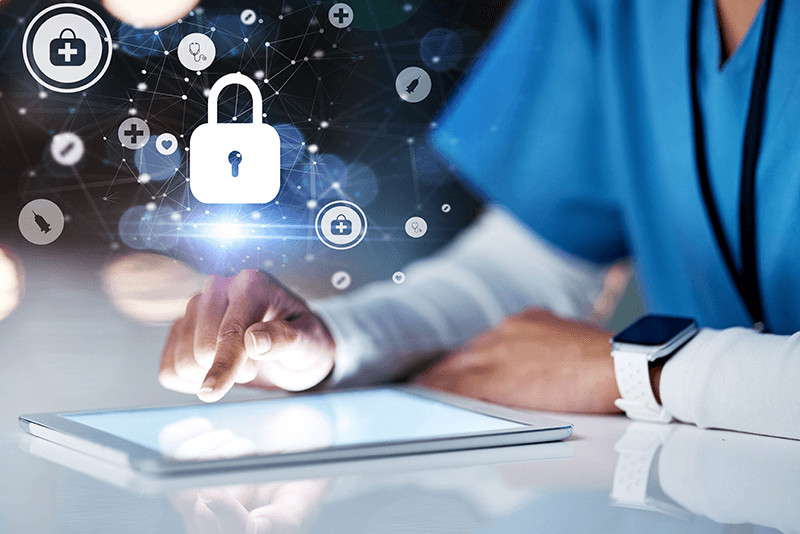
Healthcare practices are high-value targets for cyberattacks. Our managed cybersecurity services shield your PHI and help you maintain HIPAA compliance without the complexity:
- AI-powered antivirus and endpoint protection
- Real-time threat detection and monitoring (MDR)
- Employee cybersecurity training to prevent phishing and insider risks
- Ongoing vulnerability scans and compliance monitoring
- Dark web scans and audit-ready reporting
We fix issues before you notice them, keeping your practice secure and compliant 24/7.
More Than a Help Desk — Your Outsourced IT Department
- 24/7 proactive monitoring and maintenance
- Unlimited U.S.-based remote (and on-site when needed) support
- Vendor management for EHR/EMR systems, internet providers, printers, and more
- One trusted partner for all your IT needs
Proactive IT management for healthcare practices. Flat monthly rate. No long-term contracts required.
Secure Cloud Tools for Clinical Workflows & Patient Care
- Microsoft 365, Teams, and secure email
- Compliant access to EHR/EMR and patient management systems
- Secure cloud storage with proper file access controls and permissions
- Telehealth and remote-care platform support
Your team stays connected and productive while patient data remains protected.
Backup & Disaster Recovery Built for Patient Records
- Automated, encrypted, HIPAA-compliant backups
- Off-site and cloud storage
- Rapid system recovery to minimize any disruption
No more “what ifs”, just reliable uptime and peace of mind.
Strategic IT Consulting for Practice Growth & Compliance
- Customized IT roadmaps for healthcare workflows
- Ongoing HIPAA and regulatory compliance support
- Hardware, software, and cloud migration recommendations
- Network scaling as your practice grows
One partner for security, compliance, and long-term success.
Is your business secure? Find out today with our IT Health Checklist.
Managed IT Services for SMBs
When you use Strategy’s managed IT services, you gain peace of mind
knowing your technology is working like it should.

Managed Helpdesk
Reduce the stress of working with technology with our unlimited remote IT support and maintenance, vendor management, and 24/7 monitoring software.

Managed Cybersecurity
Not only do we resolve cyberthreats, but we also prevent them with cybersecurity training, dark web scans, and 24/7 monitoring and response.
Managed Servers
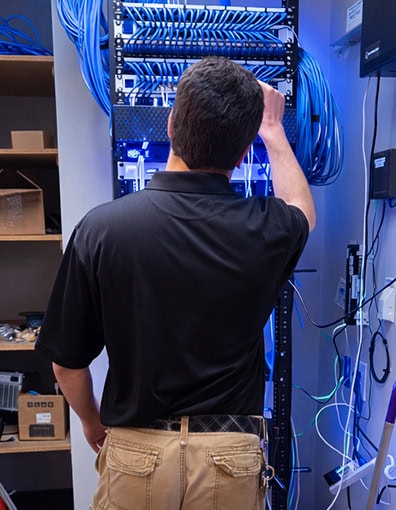
Whether your business uses physical servers, virtual servers, or both, we provide the remote support and monitoring you need to secure your critical systems.

Managed Network
Overwhelmed by network issues? We handle coordinating with network vendors, managing necessary licenses, and maintaining network infrastructure to keep your business connected.
Is your business secure? Find out today with our IT Health Checklist.
IT Services
Frequently Asked Questions
Microsoft does not back up your data. Sometimes things can go wrong with the internet or the cloud service. Having backups of your files is like having an extra safety net. It helps make sure that even if something happens to the files in the cloud, you still have copies of files safe and sound.
If your computer stops working and you don’t have backups, you could lose all your documents and important files.
While M365 does offer some cybersecurity features, it’s like having a lock only on your front door. Third-party cybersecurity protection adds extra layers of security, like having a security guard, cameras, and alarms. Third-party cybersecurity ensures that your business data is safe from multiple avenues of cyberattacks.
Password management helps you create strong, unique passwords for each account and store them in a safe place so you and your team don’t have to remember them.
Cybersecurity training teaches employees important skills to protect against online dangers, such as how to spot suspicious emails or websites that could harm your computers, or what to do if they think something is wrong. The number one reason for cybersecurity breaches and hacks is user error – someone clicking on or downloading something they shouldn’t have. Training from cybersecurity consultants dramatically reduces the likelihood of breaches.
Installing updates keeps your computer healthy and secure. Updates and upgrades fix problems and bugs in your computer’s software, making it run smoother and faster. They also add new features that make programs work better. Most importantly, they include important security fixes to protect your computer from viruses and hackers.
OneDrive is a place for your individual files. It helps keep your notes and storage both safe and organized. SharePoint, on the other hand, is a place where everyone can collaborate and work together, sharing documents, ideas, and information.
Regular vulnerability scans check for any weak spots or “cracks” in your digital defenses. These scans help find any potential entry points that hackers could use to sneak into your systems and steal important information or cause problems. By regularly scanning for vulnerabilities, you can identify and fix any weaknesses before they can be exploited by cyber attackers.
You should use a VPN (Virtual Private Network) when you want to keep your internet browsing private and secure. A VPN creates a secure, encrypted tunnel between your device and the internet, protecting your online activities from being seen by others, like hackers or your internet service provider.
It is a good idea to use a VPN when you’re connected to public Wi-Fi, like at a coffee shop or airport, to make sure no one can spy on what you’re doing. This is especially important when accessing sensitive data such as passwords, bank information, and client records.
Is your business secure? Find out today with our IT Health Checklist.

With Strategy, Managing Your IT Systems is Simple
01
Discover
We assess your current needs, identify your risks and goals, and get clear on what success looks like for your team. We get a picture of where you are and what you need.
02
Implement
We conduct a detailed technical discovery to explore your environment and surface anything that needs attention before we go live. Then we deploy our tools and document everything, so we’re set up to support you long-term.
03
Manage
We make sure the transition is solid. Once you’re settled, your dedicated KC-based team monitors your environment proactively, resolves issues fast, and stays ahead of problems before they affect your business.
04
Review
Every quarter, we review what happened, what’s coming, and how your IT strategy should evolve with your business. You’ll always know where you stand and where we’re headed.
Is your business secure? Find out today with our IT Health Checklist.
Glowing Reviews from Other Kansas City SMBs
Our clients tell the story best! Hear from them how our IT consulting has helped improve their businesses and change their lives.
Managed IT Services for Your Industry
Our comprehensive services offer specialized IT support for each of the industries we serve. See how we can support your organization’s growth and protect your data:

Design-Build Firms
Scalable solutions to manage complex project data, improve collaboration, and ensure data security on every build.
Managed IT For Healthcare Practices
Healthcare practices need reliable managed IT support and other advanced technology services to ensure their business is protected and operating smoothly.
Managed IT Services for Financial Services Firms
CPA’s, Accountants, and Advisors need reliable managed IT support and advanced technology services to keep their firm is protected and operating smoothly.
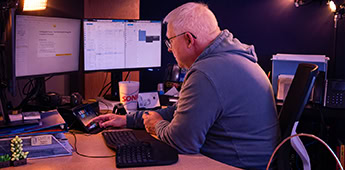
Professional Services
Customized IT support and technology solutions that enhance productivity, data security, and client communication.

Non-Profit Organizations
Cost-effective, secure IT solutions that help non-profits focus on their mission while protecting donor and organizational data.
Is your business secure? Find out today with our IT Health Checklist.
Frustrated with IT Issues? Use Our IT Health Checklist to Find the Problem
Tired of constant IT issues getting in the way of running your business? Download The Ultimate IT Health Checklist to stop problems from disrupting your operations.